When you click on links to various merchants on this site and make a purchase, this can result in this site earning a commission. Affiliate programs and affiliations include, but are not limited to, the eBay Partner Network.
Installed a front and rear dash cam in my '15 TLX SH-AWD and thought I'd post some pics for anyone interested in attempting the same. I wanted to hard-wire the cam and avoid as much exposed cabling as possible, so spent the better part of the day yesterday doing the install.
Thinkware F750 + rear camera and hard-wire accessories (link to website)
Front and rear 1080p 30fps recording to central storage
Sony Exmor CMOS image sensors
Records while driving plus parking mode (impact and motion)
GPS built in
WiFi built in for video offload and setup
Speed camera and zone warnings
Lane Keep Assist and Collision Warnings (but I turned off since already built into car)
Mounted front camera just under built-in LKAS camera housing and behind rear view mirror. Ran cables up into slots made in LKAS housing and across headliner, down driver's side A-pillar. Tapped into unused switched and continuous power fuse blocks. Ran rear camera cable under driver side doorwell covers and up rear C-pillar, across rear headliner, and down through rear center brake light cover. Rear camera mounted just under cover. Pics below, will be glad to answer any questions if interested.
Front dash cam, view from driver's side
Front dash cam, view from underneath
Front dash cam, view from front of car
Front dash cam, view from passenger side. Note entry of cables into LKAS housing.
Cabling secured down driver's A-pillar, clear of airbag
Continuous and switched power tapped into unused fuse blocks under driver's footwell
Rear dash cam video cable routed under driver side doorwell cover
Transition from driver to rear doorwells, under B-pillar seatbelt mechanism
Rear dash cam video cable routed under rear passenger doorwell cover
Rear camera installed, cabled up to rear center brake light cover and across headliner to C-pillar
Sweet!!! I bought a BlackVue front/rear dashcam a while back, but I haven't installed it yet. This will give me a roadmap for the installation when I do decide to get it done.
Great job on the install and the the post is very well done.
Where do you have the central storage unit mounted?
How many hours of storage does the unit hold?
The front camera houses the memory and actually has two storage sources: permanent internal memory and a microSD card slot. The microSD slot officially supports up to a 64GB card, although larger cards are said to work. With a 64GB card and both cameras recording at full HD it will hold up to 248 minutes of video before overwriting the oldest clips. Clips are stored in 1 minute increments. The permanent internal memory is written in parallel when there is a significant g-force incident (i.e., accident) so that there are two sources for potential recovery. There is also some cache memory so that the incident recording includes video from before and after the impact.
Parking mode recordings are same quality as driving - full 1080p front and rear, 30fps. I'll upload a sample, though it will likely just be of people walking or driving past my car in a parking lot. Thankfully I haven't had any real incidents yet.
I'm doing the same today with the BlackVue 650 2ch. Installing the Power Magic Pro that came with the kit. Going to use the remote starter accessory instructions to wire everything for a clean install.
I'm doing the same today with the BlackVue 650 2ch. Installing the Power Magic Pro that came with the kit. Going to use the remote starter accessory instructions to wire everything for a clean install.
Great! Take some pics of your install - would love to see how other installations and cameras turn out.
Great! Take some pics of your install - would love to see how other installations and cameras turn out.
I'll post photos on my thread later this weekend. Found out that Hidy Acura (now Superior Acura) didn't install the OEM remote starter as per instructions. The wires were not zip tied to the harness in the A-Pillar like in your photos. It was hanging under the side airbags.
Installed a front and rear dash cam in my '15 TLX SH-AWD and thought I'd post some pics for anyone interested in attempting the same. I wanted to hard-wire the cam and avoid as much exposed cabling as possible, so spent the better part of the day yesterday doing the install.
Thinkware F750 + rear camera and hard-wire accessories (link to website)
Front and rear 1080p 30fps recording to central storage
Sony Exmor CMOS image sensors
Records while driving plus parking mode (impact and motion)
GPS built in
WiFi built in for video offload and setup
Speed camera and zone warnings
Lane Keep Assist and Collision Warnings (but I turned off since already built into car)
Mounted front camera just under built-in LKAS camera housing and behind rear view mirror. Ran cables up into slots made in LKAS housing and across headliner, down driver's side A-pillar. Tapped into unused switched and continuous power fuse blocks. Ran rear camera cable under driver side doorwell covers and up rear C-pillar, across rear headliner, and down through rear center brake light cover. Rear camera mounted just under cover. Pics below, will be glad to answer any questions if interested.
Front dash cam, view from driver's side
Front dash cam, view from underneath
Front dash cam, view from front of car
Front dash cam, view from passenger side. Note entry of cables into LKAS housing.
Cabling secured down driver's A-pillar, clear of airbag
Continuous and switched power tapped into unused fuse blocks under driver's footwell
Rear dash cam video cable routed under driver side doorwell cover
Transition from driver to rear doorwells, under B-pillar seatbelt mechanism
Rear dash cam video cable routed under rear passenger doorwell cover
Rear camera installed, cabled up to rear center brake light cover and across headliner to C-pillar
Hi,
Thank you for the amazing post and description. I just installed my F750 and i have a question regarding hardwired. I hardwired mine by cutting the cable that comes with charger and hardwired it directly to the fuse box. My parking mode is not working as it should. Can you explain what is the difference between the real hardwire cable and the regular charger one? Do i need the hardwire cable for the parking mode to work? Would you mind if you take a pic to the hardwire cable?
I hardwired mine by cutting the cable that comes with charger and hardwired it directly to the fuse box. My parking mode is not working as it should. Can you explain what is the difference between the real hardwire cable and the regular charger one? Do i need the hardwire cable for the parking mode to work? Would you mind if you take a pic to the hardwire cable?
Thank you so much
Take a look at the 6th picture in my post labeled '"continuous and switched power tapped into unused fuseblocks under driver footwell". The F750 depends upon a wired connection to both a direct battery (always on) and ignition (switched) source, as well as ground, to operate in parking mode. You can see my two power connections - they are the two red 'pigtail' wires coming off of the fuse taps - and my ground which is a seperate connection to a threaded bolt on the sidewall.
The optional hardwire cable provides all three leads to the power plug that inserts into the main camera housing. The regular charger cable only provides two connections, power and ground.
how do you know which fuse to tap it in?
Do you also need to ground anything?
I used a multi-meter to find two fuse points which happened to be empty and provided the needed constant and switched behavior. I then used fuse taps (available at auto stores) to provide a nice secure pigtail connection to each.
Yes, a ground is also required. I found a good bolt point against the left driver footwell sidewall.
Thank you for instructions. I wonder how do you entered the cable thru LKAS Housing, removed the cover of B-Pillars, and ran the cable across the ceiling for Rear Camera?
Installed a front and rear dash cam in my '15 TLX SH-AWD and thought I'd post some pics for anyone interested in attempting the same. I wanted to hard-wire the cam and avoid as much exposed cabling as possible, so spent the better part of the day yesterday doing the install.
Thinkware F750 + rear camera and hard-wire accessories (link to website)
Front and rear 1080p 30fps recording to central storage
Sony Exmor CMOS image sensors
Records while driving plus parking mode (impact and motion)
GPS built in
WiFi built in for video offload and setup
Speed camera and zone warnings
Lane Keep Assist and Collision Warnings (but I turned off since already built into car)
Mounted front camera just under built-in LKAS camera housing and behind rear view mirror. Ran cables up into slots made in LKAS housing and across headliner, down driver's side A-pillar. Tapped into unused switched and continuous power fuse blocks. Ran rear camera cable under driver side doorwell covers and up rear C-pillar, across rear headliner, and down through rear center brake light cover. Rear camera mounted just under cover. Pics below, will be glad to answer any questions if interested.
Rear camera installed, cabled up to rear center brake light cover and across headliner to C-pillar
Hi,
I'm trying to find a place to install the rear camera. is mounting at the brake light cover stable enough when the car is moving? The piece there is soft rubber not plastic so I'm afraid the video may be shaky too much. I'm refraining to mount it on the windshield too as there are too many defroster wires there and it may cause trouble when I want to remove the rear camera.


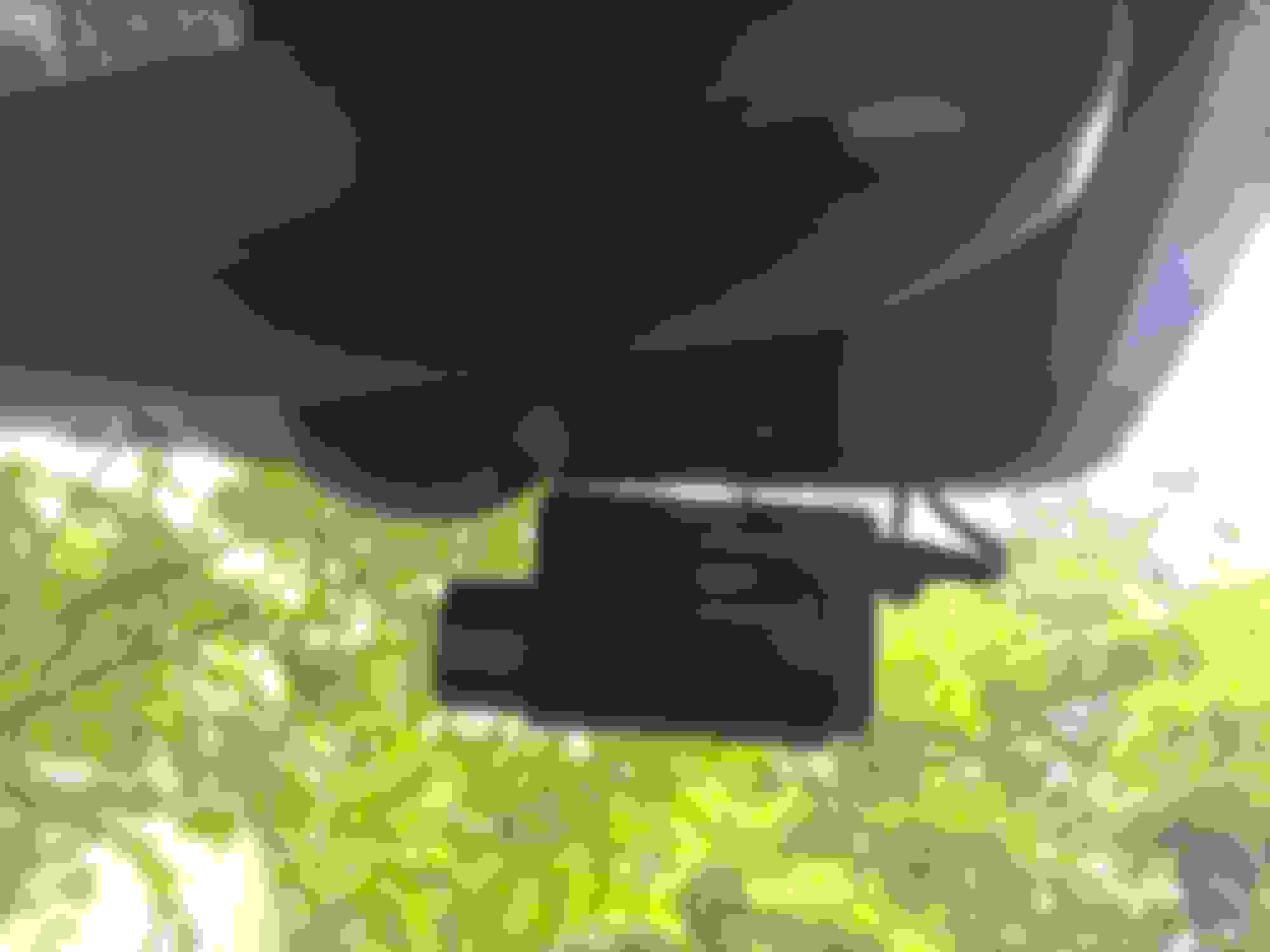








 . My DR650 parking mode is only 15fps which is choppy.