


Periphreal installed, no text on my Nav


Thread Starter
Intermediate
Joined: Jan 2006
Posts: 36
Likes: 0
Periphreal installed, no text on my Nav
Just hooked up my Periphereal Ipod thingy. Easy install as on the canadian TL you dont have to unplug thre XM because there isnt any XM, but there is the connector for XM in the back of the head unit. So all installed,
1. Sound is great
2. I can use steering wheel controls to advance songs, and volume
3. There is no text on my Nav screen ( song, artists etc )
4 I cant change albums with the car controls, only the IPOd controls on the Ipod ( which I thought werent supposed to work 0
Looking for help on this, If youve encountered this and have a solution.
As far as I know the radio/Nave unit is the same as the one sold in the USA. I have an 06 TL with Nav
Thanks
1. Sound is great
2. I can use steering wheel controls to advance songs, and volume
3. There is no text on my Nav screen ( song, artists etc )
4 I cant change albums with the car controls, only the IPOd controls on the Ipod ( which I thought werent supposed to work 0
Looking for help on this, If youve encountered this and have a solution.
As far as I know the radio/Nave unit is the same as the one sold in the USA. I have an 06 TL with Nav
Thanks

Pro
Joined: Jun 2008
Posts: 597
Likes: 6
From: Columbia, MO
to control the artists, albums, and songs you have to push 5 and 6 on the presets on the radio. as far as text, not sure.. when i start my car i have to turn the right knob to IPOD and it displays the text. IF you in AUX mode it won't display text. at least that is how mine works
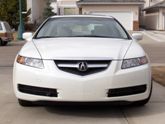
06 WDP TL Owner
Joined: Apr 2006
Posts: 118
Likes: 1
From: Edmonton, Alberta
I don't have the same device but what you are describing is Direct Mode which is when everything is controlled from the ipod. None of the HU controls will work. Check your instructions. On my device (NEO), the cd preset 1 button is Playlists, preset 2 button is for albums and preset 3 is for artists. Preset 4 is for all songs and preset 5 is Direct Mode. Preset 6 is for Aux input.

Hmmm...
It sounds like you're in IPOD mode b/c you're able to advance the songs with the steering control. You cannot do this in AUX1 or AUX2 (to the best of my knowledge).
1. Do you have the latest firmware? What is the firmware #?
2. Try this.. since you have a Canadian TL, you don't have an XM button, correct?
... so, I imagine the HU source just before the "XM" source is FM2 .. so get to FM2, and hit the steering wheel source advance button to get into the Peripheral MENU -- you'll see either "SAT, IPOD, AUX1, or AUX2" -- the way to advance this is the following:
... as SOON as you get into the Peripheral menu (from FM2), start rotating the Right acura silver knob to cycle b/w sat, ipod, aux1, and aux2. Stop when you get to "IPOD".
See if that works and allows you to see text.
Otherwise, to answer your questions specifically -- have have not had this problem specifically nor have I read online any similar issue with the Peripheral product.
Oh, and you haven't made it clear -- do you have a CANADIAN TL ... or a US TL?
It sounds like you're in IPOD mode b/c you're able to advance the songs with the steering control. You cannot do this in AUX1 or AUX2 (to the best of my knowledge).
1. Do you have the latest firmware? What is the firmware #?
2. Try this.. since you have a Canadian TL, you don't have an XM button, correct?
... so, I imagine the HU source just before the "XM" source is FM2 .. so get to FM2, and hit the steering wheel source advance button to get into the Peripheral MENU -- you'll see either "SAT, IPOD, AUX1, or AUX2" -- the way to advance this is the following:
... as SOON as you get into the Peripheral menu (from FM2), start rotating the Right acura silver knob to cycle b/w sat, ipod, aux1, and aux2. Stop when you get to "IPOD".
See if that works and allows you to see text.
Otherwise, to answer your questions specifically -- have have not had this problem specifically nor have I read online any similar issue with the Peripheral product.
Oh, and you haven't made it clear -- do you have a CANADIAN TL ... or a US TL?
Thread Starter
Intermediate
Joined: Jan 2006
Posts: 36
Likes: 0
1. Yes, it is a Canadian TL, and it has the XM port in the back of the radio
2. The firmware is .25, Ill update this and try.
3. Ill try what you said about the FM 2 as my screen says AUX 1 when the IPOD is on. Thanks for your help,
4. My Wife has my car for the day, Ill post any updates after I try them tonight.
Thank you for your help
2. The firmware is .25, Ill update this and try.
3. Ill try what you said about the FM 2 as my screen says AUX 1 when the IPOD is on. Thanks for your help,
4. My Wife has my car for the day, Ill post any updates after I try them tonight.
Thank you for your help
Try things in this order:
1) try toggling the modes (IPOD, AUX, etc) first....
2) if still no text when you're in IPOD mode... update the firmware, then re-try step #1.
If STILL not working -- you may have an issue with your PXAMG module, as there is no reason why you should not have text on your navi display.
Let us know, happy to help.
1) try toggling the modes (IPOD, AUX, etc) first....
2) if still no text when you're in IPOD mode... update the firmware, then re-try step #1.
If STILL not working -- you may have an issue with your PXAMG module, as there is no reason why you should not have text on your navi display.
Let us know, happy to help.
And as EVo mentioned -- you have further control over the ipod using the preset buttons on your HU (headunit) -- use the laminated cheat card provided by iSimple/peripheral to negotiate these controls
ex: preset 3 is the rewind
preset 4 is to advance song (not advance track)
preset 6 is to get into sort mode, preset 5 is to go back
scrolling is done with Right knob
preset 2 is random artist/album/etc.
ex: preset 3 is the rewind
preset 4 is to advance song (not advance track)
preset 6 is to get into sort mode, preset 5 is to go back
scrolling is done with Right knob
preset 2 is random artist/album/etc.
Trending Topics
Thread Starter
Intermediate
Joined: Jan 2006
Posts: 36
Likes: 0
I can use the cars controls, as per volume up / down and track skip. Stereo buttons will fast foreward, but #6 does nothing.
I tried to update the firmware at the periphereal site and when I plug the I simple USB into the computer ( tried 2 computers ) it wont hook up, it recognizes a device, but it wont install ( says there is no hardware ) . Any ideas on this one guys, thanks
I tried to update the firmware at the periphereal site and when I plug the I simple USB into the computer ( tried 2 computers ) it wont hook up, it recognizes a device, but it wont install ( says there is no hardware ) . Any ideas on this one guys, thanks

Cruisin'
Joined: Feb 2007
Posts: 24
Likes: 0
i just installed the isimple in my '07 tsx w/ nav and i am having the same problems. i can control the ipod via the steering wheel and ipod unit, but no text is displayed.
i have the .25 firmware version.
i'll try to contact someone from peripheral electronics for some help. i'll let you know i find anything.
i have the .25 firmware version.
i'll try to contact someone from peripheral electronics for some help. i'll let you know i find anything.
I can use the cars controls, as per volume up / down and track skip. Stereo buttons will fast foreward, but #6 does nothing.
I tried to update the firmware at the periphereal site and when I plug the I simple USB into the computer ( tried 2 computers ) it wont hook up, it recognizes a device, but it wont install ( says there is no hardware ) . Any ideas on this one guys, thanks
I tried to update the firmware at the periphereal site and when I plug the I simple USB into the computer ( tried 2 computers ) it wont hook up, it recognizes a device, but it wont install ( says there is no hardware ) . Any ideas on this one guys, thanks
Are your jumpers switched to the right positions when you are connected via USB?
Are you confirmed to be in IPOD mode??? (i gave you instructions in the above post on how to get into IPOD mode....)
i just installed the isimple in my '07 tsx w/ nav and i am having the same problems. i can control the ipod via the steering wheel and ipod unit, but no text is displayed.
i have the .25 firmware version.
i'll try to contact someone from peripheral electronics for some help. i'll let you know i find anything.
i have the .25 firmware version.
i'll try to contact someone from peripheral electronics for some help. i'll let you know i find anything.
update your firmware

PXAMG GuRu
Joined: Apr 2008
Posts: 122
Likes: 0
From: Tampa Bay, FL.
If the ipod does not display a check mark and say OK to disconntect or accessory connected then you are in AUX mode.
You are in the AUX mode. You will need to enter the mode menu. To do this you will need to exit and re-enter the XM source. Do this by pressing the FM then XM button until you enter the XM band and this will bring up the mode menu for about 6 seconds. In this time use the tune knob/button and you should see the modes change between AUX1, AUX2 and iPod. Leave iPod displayed on the screen and press preset number 6. You should then have control of the iPod.
You are in the AUX mode. You will need to enter the mode menu. To do this you will need to exit and re-enter the XM source. Do this by pressing the FM then XM button until you enter the XM band and this will bring up the mode menu for about 6 seconds. In this time use the tune knob/button and you should see the modes change between AUX1, AUX2 and iPod. Leave iPod displayed on the screen and press preset number 6. You should then have control of the iPod.
If the ipod does not display a check mark and say OK to disconntect or accessory connected then you are in AUX mode.
You are in the AUX mode. You will need to enter the mode menu. To do this you will need to exit and re-enter the XM source. Do this by pressing the FM then XM button until you enter the XM band and this will bring up the mode menu for about 6 seconds. In this time use the tune knob/button and you should see the modes change between AUX1, AUX2 and iPod. Leave iPod displayed on the screen and press preset number 6. You should then have control of the iPod.
You are in the AUX mode. You will need to enter the mode menu. To do this you will need to exit and re-enter the XM source. Do this by pressing the FM then XM button until you enter the XM band and this will bring up the mode menu for about 6 seconds. In this time use the tune knob/button and you should see the modes change between AUX1, AUX2 and iPod. Leave iPod displayed on the screen and press preset number 6. You should then have control of the iPod.
He can, however, enter XM mode from FM band with the source button on his steering wheel.
Thread Starter
Intermediate
Joined: Jan 2006
Posts: 36
Likes: 0
Thanks for all your help, things work a little different on our Canadian TLs. But the best $200 Ive ever spent. Just went to my car and followed the instructions you all helped with and it work like a damm. My wife said I was like a kid in a candy store. Super cool device, easy install and easy to use. Thanks again for all the info, know I can pass on the knowledge........
PXAMG GuRu
Joined: Apr 2008
Posts: 122
Likes: 0
From: Tampa Bay, FL.
Glad it all worked out for you. It would be great to get a video of it in action that way if i get an email or phone call from a Canadian TL owner i can walk him through it. Unfortunately we do not have access to those vehicles down here. It would be great to get the steps for mode selection and anything else that is differient with the Canadian TL's You can view our video here: http://www.youtube.com/watch?v=6Am-h...e=channel_page
This is of a 2009 Accord but you can kinda see how we do our videos. I would love to put your video up on your YouTube account if you dont mind.
This is of a 2009 Accord but you can kinda see how we do our videos. I would love to put your video up on your YouTube account if you dont mind.
Thread Starter
Intermediate
Joined: Jan 2006
Posts: 36
Likes: 0
Unfortunatly Im not to tech savy for the video but....
On Canadian TL ( mine is a 2006 ) with Nav.
1. I followed the same steps that everyone posted on here, pull the carpet near the gas pedal to see the back of the radio.
2. There is an XM port ( there are no wires plugged into this port , so skip the step about unplugging and teeing in the isimple harness ) since the port is open, plug the Isimple adapter in,
3. plug the 14pin ( black ) connector into the Isimple, hook up your Ipod and follow the steps in this post.
You can tell Canadian TL owners or put it on your website that you dont need the XM or Aux button , and to use the MODE button on the steering wheel. On the box for the Isimple is stated that the unit will not work with Nav, this is misleading as it does work. Also the box claims that you need an Aux/Xm button wich you dont need. Probably because of this you are missing out on a lot of sales. Without the help on this site i wouldnt have bought one.
Thanks again for your help and I will spread the word to others I know who own them. Maybe Ill make some Money on the side selling them at the local Acura dealers....
On Canadian TL ( mine is a 2006 ) with Nav.
1. I followed the same steps that everyone posted on here, pull the carpet near the gas pedal to see the back of the radio.
2. There is an XM port ( there are no wires plugged into this port , so skip the step about unplugging and teeing in the isimple harness ) since the port is open, plug the Isimple adapter in,
3. plug the 14pin ( black ) connector into the Isimple, hook up your Ipod and follow the steps in this post.
You can tell Canadian TL owners or put it on your website that you dont need the XM or Aux button , and to use the MODE button on the steering wheel. On the box for the Isimple is stated that the unit will not work with Nav, this is misleading as it does work. Also the box claims that you need an Aux/Xm button wich you dont need. Probably because of this you are missing out on a lot of sales. Without the help on this site i wouldnt have bought one.
Thanks again for your help and I will spread the word to others I know who own them. Maybe Ill make some Money on the side selling them at the local Acura dealers....

Thread
Thread Starter
Forum
Replies
Last Post
BoricuaTL
Car Parts for Sale
138
Apr 8, 2016 01:08 PM
CheeseyPoofs McNut
5G TLX (2015-2020)
35
Oct 11, 2015 11:25 AM
asahrts
Member Cars for Sale
0
Sep 4, 2015 05:55 PM
