


How To Reset '08 TL-S Navi Software Version

How To Reset '08 TL-S Navi Software Version
hey
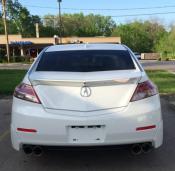
i have alittle problem with my 2008 TL-S..i just recently bought it and it had no navi disc inserted.. i took my disc from my other car which was the 2010 disc and i installed it in the 08 TL to make sure everything worked properly. it updated and took some time but it worked fine, so i took the disc out and put it back in my newer car.
i just recently picked up the 09 version disc for the TL-S and i inserted it and it wont take it, says the disc version is older then the software installed version.
what can i do now, is there a way to reset the navi software version to original setting..or do i have to spend 160 bucks for another 2011 disc to get it to work.
any help is appreciated
thanks
i have alittle problem with my 2008 TL-S..i just recently bought it and it had no navi disc inserted.. i took my disc from my other car which was the 2010 disc and i installed it in the 08 TL to make sure everything worked properly. it updated and took some time but it worked fine, so i took the disc out and put it back in my newer car.
i just recently picked up the 09 version disc for the TL-S and i inserted it and it wont take it, says the disc version is older then the software installed version.
what can i do now, is there a way to reset the navi software version to original setting..or do i have to spend 160 bucks for another 2011 disc to get it to work.
any help is appreciated
thanks
1. Go to your car.
2. Turn your car's ignition to ACC.
3. Open the trunk and insert your navi disk.
4. Go back to the driver seat, the display will give you the message about the old version or whatever, now press and hold "GUIDE" "MENU" and "CANCEL" for approx 5 seconds to bring up the diagnostic menu.
5. Wait another 5 seconds to let it load up completely. Press "version" button on the screen
6. Press "LOAD DISC".
7. Wait until it finishes loading.
2. Turn your car's ignition to ACC.
3. Open the trunk and insert your navi disk.
4. Go back to the driver seat, the display will give you the message about the old version or whatever, now press and hold "GUIDE" "MENU" and "CANCEL" for approx 5 seconds to bring up the diagnostic menu.
5. Wait another 5 seconds to let it load up completely. Press "version" button on the screen
6. Press "LOAD DISC".
7. Wait until it finishes loading.

Thread
Thread Starter
Forum
Replies
Last Post
MrHeeltoe
1G TSX Tires, Wheels, & Suspension
20
Feb 23, 2023 01:54 PM
Sarlacc
Console & Computer Gaming
5
Sep 30, 2015 02:15 PM
MrHeeltoe
2G TSX Tires, Wheels & Suspension
3
Sep 29, 2015 10:43 PM
MrHeeltoe
3G TL Tires, Wheels & Suspension
0
Sep 28, 2015 05:43 PM
