


another 04TL carpc (with pic)

Thread Starter
Instructor
Joined: Oct 2007
Posts: 159
Likes: 0
From: MN
another 04TL carpc (with pic)
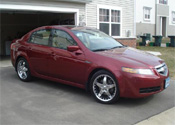
it took me sometime between 1-2 months with research and preperation. here my 04 TL carpc with stock to mod.
before.


progress.
ripping her a part!!


hot glue the stock lcd to old ash tray was.


extented the climate control wires

add quick connect to my opus PSU

mount it in the CD room place of my shuttle pc


my pc with opus psu in side

front look with dvd cover open you can see the opus psu

both red wire the one with black tape is (-) and the long one is (+)

touch screen LCD is in the car with old LCD at the bottom


boot up screen


MS STREET map w/gps


i run the sound through my tape player because my XM recieve was blewn and when i press xm button is not working. but with HD build in sound card it help.
that's all folks!!
before.
progress.
ripping her a part!!
hot glue the stock lcd to old ash tray was.
extented the climate control wires
add quick connect to my opus PSU
mount it in the CD room place of my shuttle pc
my pc with opus psu in side
front look with dvd cover open you can see the opus psu
both red wire the one with black tape is (-) and the long one is (+)
touch screen LCD is in the car with old LCD at the bottom
boot up screen
MS STREET map w/gps
i run the sound through my tape player because my XM recieve was blewn and when i press xm button is not working. but with HD build in sound card it help.
that's all folks!!

now with four rings
Joined: May 2006
Posts: 1,745
Likes: 0
From: Bixby, OK
maaaan...i never looked into a CarPC, but after seeing yours, i think i'm ready to check it out...i've also got an '04 non-navi TL...kinda sick of looking at just text (disc number, track number, etc.)...
how hard was it to wire all that? i get kinda scared ripping apart my own stuff...
very clean install...
how hard was it to wire all that? i get kinda scared ripping apart my own stuff...
very clean install...

Instructor
Joined: Apr 2007
Posts: 118
Likes: 0
From: Toms River, NJ
Congrats on getting it all up and running Looks like the hard part is all over with and you just have some finishing touches to do cosmetic wise and you will be all done. Now you can enjoy it after all that hard work  I should post pics of my install too, I never got around to it. Maybe in the next few days..
Looks like the hard part is all over with and you just have some finishing touches to do cosmetic wise and you will be all done. Now you can enjoy it after all that hard work I should post pics of my install too, I never got around to it. Maybe in the next few days..


Burning Brakes
Joined: May 2005
Posts: 1,222
Likes: 5
From: IE Baby
Congrats on the install. I know it's a long road to actually getting in and getting it to work. Major Props to you. These things aren't easy to do. Looks good. I'm sure you'll be playing with it for a long time.
Instructor
Joined: Apr 2007
Posts: 118
Likes: 0
From: Toms River, NJ
Everyone seems to love the Roadrunner/Digital FX combo, am I the only one on here using Centrafuse? I guess everyone chooses the free software route since all the hardware costs so much  I never really got into Roadrunner, it always seemed like it needed too much work to configure. The DigitalFX skin is pretty sweet though.
I never really got into Roadrunner, it always seemed like it needed too much work to configure. The DigitalFX skin is pretty sweet though.
Trending Topics
Never had the chance to look into Centrafuse ....I never had any problem with RR and I like the way we need to configure it to add specifics needs.
DigitalFx/RR is the best combo I found for the low hardware(CPU) capacities. I guess it all depends again on your need
Nice install again RTL
DigitalFx/RR is the best combo I found for the low hardware(CPU) capacities. I guess it all depends again on your need
Nice install again RTL
Burning Brakes
Joined: May 2005
Posts: 1,222
Likes: 5
From: IE Baby
Originally Posted by SLAYER6669
Everyone seems to love the Roadrunner/Digital FX combo, am I the only one on here using Centrafuse? I guess everyone chooses the free software route since all the hardware costs so much I never really got into Roadrunner, it always seemed like it needed too much work to configure. The DigitalFX skin is pretty sweet though.
I never really got into Roadrunner, it always seemed like it needed too much work to configure. The DigitalFX skin is pretty sweet though.


Originally Posted by VmtSquad
Just a question here, How did you manage to remove the AirVent on top of the LCD display??
It takes a little bit of pulling to get it to pop.
Thread Starter
Instructor
Joined: Oct 2007
Posts: 159
Likes: 0
From: MN
Originally Posted by KN_TL
You've got to bend piece of metal that is small enough to fit between the slats of the vent, but sturdy enough to be able to pull it out.
It takes a little bit of pulling to get it to pop.
It takes a little bit of pulling to get it to pop.
thanks everyone. yeah the hard part is over for me. now all i have to do is the touch up. thank to all of you that help me out too. again thanks!!!!


Thread Starter
Instructor
Joined: Oct 2007
Posts: 159
Likes: 0
From: MN
Originally Posted by VmtSquad
....I never had any problem with RR and I like the way we need to configure it to add specifics needs.
king would you try to change port to deffernce number than 0 see if it doest the same. only if you would.
VmtSquad try it too. i want to know if it from my pc
funny thing is my pgs can't get any reception when i mount it in the trunk. so i pace it next to the back speaker for reception.
Originally Posted by theklassic
I like how you placed the regulator in the XPC. --- And btw, great picks on the hardware, we all run XPCs in our cars and have had absolutly no issues to date.

Thread Starter
Instructor
Joined: Oct 2007
Posts: 159
Likes: 0
From: MN
Originally Posted by nitropwd
RTL, what size gauge wire did you use to extend the harnesses and far?
if you looking to do a carpc. i suggest everyone extend their harness while they wait for the part to come. that save alot of time. and triple check 4 time 5 time. i had to redo mind on one side of it.
Thread Starter
Instructor
Joined: Oct 2007
Posts: 159
Likes: 0
From: MN
Originally Posted by VmtSquad
What gps software are you using? Im with IGuidance with a USB antenna and didnt had any trouble for the config....
Originally Posted by RTLNOOBIE
i run MS street with gps reciever it work find if i leave gps in RR config at 0. owell im not going to use gps status in rr anyway. i mainly use the main screen for music and video. so how far along you getting? i think we started about almost at the same time.
kind off a big job for me but Im sure I'll get the result I want, the only thing Im not sure its the final color, I will have to repaint the bezel in a black that looks like the original or that fits the Interior.
I'll probably begin to work on the bezel next week...When the bezel will be done I'll simply take an appointment with my friend and install everything

Ya I think we did begin at the same time to work on our system, but I had some forced brake along the way
The configuration of the PC is the most time consuming when think about it, I tried so many features and skins....BUT IT WILL ALL WORTH IT SOON *if I had a garage it would be already finished lol
04 TL - CAR_PC
Joined: Jul 2008
Posts: 93
Likes: 3
From: Los Angeles, CA USA
Here is Mine that install with navi-bezel on the non navi hvac.
http://www.wec-usa.net/CAR_PC/111.jpg
http://www.wec-usa.net/CAR_PC/111.jpg

Thread
Thread Starter
Forum
Replies
Last Post
MrHeeltoe
1G TSX Tires, Wheels, & Suspension
20
Feb 23, 2023 01:54 PM
emailnatec
5G TLX Tires, Wheels & Suspension
29
Sep 28, 2018 04:27 PM
MrHeeltoe
2G TSX Tires, Wheels & Suspension
3
Sep 29, 2015 10:43 PM
MrHeeltoe
3G TL Tires, Wheels & Suspension
0
Sep 28, 2015 05:43 PM
