


navigation probem please some1 help me...........


Thread Starter
4th Gear
Joined: Jan 2008
Posts: 4
Likes: 0
navigation probem please some1 help me...........
I have a 2002 tl that did not came with a navigation.
so i got me one on ebay, after a week of install still have problem.
my navigation tell me that is unformatted disc. I guess its common problem. but how do i fix it? is my drive bad? or the disc is no good? disc looks very clean.
I have the black disc ver. 2.30.
also I am having problem with the audio part. I tap my audio from the
navigation to the radio front left and right speaker. and now it cuts off the sound on the front speaker. i un tap it and its back to normal. Can anyone help how to tap
the audio or someone give the the audio diagram for the 02. I have the 03 its different.
help.
so i got me one on ebay, after a week of install still have problem.
my navigation tell me that is unformatted disc. I guess its common problem. but how do i fix it? is my drive bad? or the disc is no good? disc looks very clean.
I have the black disc ver. 2.30.
also I am having problem with the audio part. I tap my audio from the
navigation to the radio front left and right speaker. and now it cuts off the sound on the front speaker. i un tap it and its back to normal. Can anyone help how to tap
the audio or someone give the the audio diagram for the 02. I have the 03 its different.
help.

Team Owner
Joined: Sep 2006
Posts: 33,535
Likes: 1,142
check the owner manual for tips
https://techinfo.honda.com/rjanisis/...01_OMANUAL.asp
https://techinfo.honda.com/rjanisis/...01_OMANUAL.asp
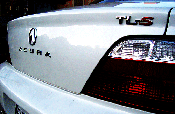
02' 3.2TL-s /w NAVI
Joined: May 2006
Posts: 142
Likes: 0
From: Bay Area, Califonia
Maybe it had a newer disc in there before. Try this,
1) Put the 2.05 disc in your unit and power your car on. After you get the error, turn the car back off.
2) Go to the back of the NAVI unit (in the trunk) and find the connector hanging by the unit that is not connected to anything. I get to it via the trunk pass-through in the rear seat.
3) You have to use a paper clip or something metal to jump the two pins in that connector together.
4) Power on the car... You will then already be in the diagnostic screen. Pick the force download option and it will reflash your firmware using the 2.05 disc in your unit.
2) Go to the back of the NAVI unit (in the trunk) and find the connector hanging by the unit that is not connected to anything. I get to it via the trunk pass-through in the rear seat.
3) You have to use a paper clip or something metal to jump the two pins in that connector together.
4) Power on the car... You will then already be in the diagnostic screen. Pick the force download option and it will reflash your firmware using the 2.05 disc in your unit.

Thread
Thread Starter
Forum
Replies
Last Post
dirleton
2G RDX (2013-2018)
11
Aug 6, 2024 08:19 PM
navtool.com
5G TLX Audio, Bluetooth, Electronics & Navigation
31
Nov 16, 2015 08:30 PM
TLguy42
4G TL Audio, Bluetooth, Electronics & Navigation
0
Sep 26, 2015 11:27 AM