When you click on links to various merchants on this site and make a purchase, this can result in this site earning a commission. Affiliate programs and affiliations include, but are not limited to, the eBay Partner Network.
Alright let me start this off. We're an Intermedia Exchange reseller and they use McAfee Spam filter currently. Intel announced a while back that they're discontinuing development on it and it's closing down at the beginning of next year.
My boss has looked at alternatives and everything he's found so far sucks. Any suggestions for cloud based replacement SPAM filters?
McAfee was good but now it's getting worse because they're not maintaining it, emails are getting delayed like they're grey mail and I've had to go and whitelist a bunch domains for my clients and that seems to fix it. Supposedly Intel isn't gong to bother to fix this issue and it's probably going to get worse before it's finally shutoff at the end of the year.
I've been really happy with the Sophos UTM product (used to be Astaro), but I don't have any experience with their spam product.
I'm interested to hear what others are using. For email we are using office365, for VOIP we are using RingCentral.
I've recently started using Cisco Meraki switches/firewall/WAP. I'm mostly happy with Meraki. I love that I can manage 6 sites all from a single portal. We use the Sophos UTM at or corporate headquarters because it offers some features that the Meraki firewall doesn't. Most notably it can hook up redundant VPN connections to AWS very easily, and the Meraki doesn't support SSL VPN.
We use Intermedia hosted Exchange, and VoIP. We used to use Allworx phones but now we just have our business number forward to our mobile phones. One of our clients uses ring central, quite a few are on Allworx, and some are on Intermedia VoIP. Most of them are on Intermedia hosted exchange now
What's the easiest way to see the last time someone logged into a PC (Windows 7 VM)? I'm looking in the security log in event viewer but it's got a bunch of nonsense, my boss said to check temp file activity
I usually rely on the NTUSER.DAT since it's directly attributable to the actual user and it's easier to explain to people that the user profile "file" was updated rather than temporary files (which have a bad rap for culpability and direct linkage).
We've been using Thycotic Secret Server for storing our clients various passwords. It works pretty good and there's a free version. The UI's better than what in this video but it's a better solution than password protected excel files or whatever. The mobile app sucks though
Intermedia uses it internally that's how we heard about it. The free version doesn't have most of those features, though they're really cool we wouldn't use them so the free version meets our needs well.
Last edited by #1 STUNNA; Jun 9, 2016 at 06:25 PM.
@stogie1020 you might know this. I'm having an issue with BitLocker encrypted drives. At one of my clients we rotate 3x2TB USB drives that are used as backup drives. These drives are set to auto unlock when connected to the backup VM, however it seems like Windows will only remember 2 Bitlocker passwords so everytime we swap it now it doesn't autounlock and the backups will fail until I login and re-enter the password. So every Friday night at 9:32 I'm getting an email saying it failed. We used to only use two backup drives and rotate between them and it worked just fine but we added two more (one that's permanently attached and not rotated) and this started happening. Ever seen this before?
Next week I'm going to try changing drive letters so that the three rotating drives don't all use the same letter since Veeam is able to still work even if the drive letter changes.
Speaking of which any of you guys use Veeam backup? Usually IT software has a confusing UI and cryptic error messages but Veeam is relatively very easy to use and log files are in plain english and not cryptic. I actually enjoy using it.
@stogie1020 you might know this. I'm having an issue with BitLocker encrypted drives. At one of my clients we rotate 3x2TB USB drives that are used as backup drives. These drives are set to auto unlock when connected to the backup VM, however it seems like Windows will only remember 2 Bitlocker passwords so everytime we swap it now it doesn't autounlock and the backups will fail until I login and re-enter the password. So every Friday night at 9:32 I'm getting an email saying it failed. We used to only use two backup drives and rotate between them and it worked just fine but we added two more (one that's permanently attached and not rotated) and this started happening. Ever seen this before?
Next week I'm going to try changing drive letters so that the three rotating drives don't all use the same letter since Veeam is able to still work even if the drive letter changes.
Originally Posted by #1 STUNNA
Speaking of which any of you guys use Veeam backup? Usually IT software has a confusing UI and cryptic error messages but Veeam is relatively very easy to use and log files are in plain english and not cryptic. I actually enjoy using it.
I think I fixed that bitlocker autounlock issue by changing the drive letters of the external drives. It seems like Windows will only remember two bitlocker PWs per drive letter
I think I fixed that bitlocker autounlock issue by changing the drive letters of the external drives. It seems like Windows will only remember two bitlocker PWs per drive letter
Spoke too soon. Still not auto unlocking drives even though auto unlock is on. Now I think it's because the Bitlocker service is set to Manual (Triggered) and for some reason it isn't triggering until I manually type in the password, after that it works for a while. I've changed it to automatic and we'll see...
I've been happy with our Meraki stuff. I just wish that they would support SSL VPN in addition to L2TP. The other negative is that we need to keep the support contract going forever, otherwise we lose the ability to manage the gear and then we have paperweights. Smart business plan on their part.
Yeah one of the reasons we're trying it out because PPTP support is dropped in the next ios/macOS
though split tunneling on it is poop, you have to add a static route ti the vpn which you can make persistent in Windows but yo to run a script every time in macOS.
Have you found another way on macOS without sending all data through the vpn?
Have you found another way on macOS without sending all data through the vpn?
Nope. If you are evaluating different devices check out a Sophos UTM. The SSL VPN is based on OpenVPN and the split tunneling is very good. It also supports google authenticator for multi-factor. The only downside to the UTM is that I think Sophos is trying to kill the product and replace it with the XG platform.
The Sophos also makes it easy to configure who is and isn't allowed to use the VPN and groups can be used to restrict users to certain networks.
Spoke too soon. Still not auto unlocking drives even though auto unlock is on. Now I think it's because the Bitlocker service is set to Manual (Triggered) and for some reason it isn't triggering until I manually type in the password, after that it works for a while. I've changed it to automatic and we'll see...
Fuck this bullshit. Never figured it out. I even set a scheduled task to restart the VM every Friday just before the backups ran hoping the restart would cause the drives to auto-unlock. Still didn't work. I gave up, took off BitLocker and encrypted the Veeam backup files using Veeam. No problems since
Nope. If you are evaluating different devices check out a Sophos UTM. The SSL VPN is based on OpenVPN and the split tunneling is very good. It also supports google authenticator for multi-factor. The only downside to the UTM is that I think Sophos is trying to kill the product and replace it with the XG platform.
The Sophos also makes it easy to configure who is and isn't allowed to use the VPN and groups can be used to restrict users to certain networks.
Don't think we want to try out an EOL platform.
We setup our VPN to use AD authentication, I would've liked to have limited it to VPN Users Group in AD but it doesn't seem to support that. Oh well, not a big deal.
Have you used the IDS on the Meraki, it seems like it's got a lot of false positives, every day it's catching something. Which we've gone years without one and it's very rare for someone to get an infection here.
Yeah I think it does get a lot of false positives. I leave it on though and don't get any complaints from users that their browsing is getting jacked up. I think it's mostly blocking ads so the user don't notice.
I usually rely on the NTUSER.DAT since it's directly attributable to the actual user and it's easier to explain to people that the user profile "file" was updated rather than temporary files (which have a bad rap for culpability and direct linkage).
Ok what is Docker and why should I care? I've been hearing the term the past few months and a little bit of research shows that it allows you to take apps put them in a container and move them between servers. Which sounds like it'd be good for old custom apps some of our clients have. We're currently keeping some old instances of server 2003 up and running because some old custom one-off website requires it. We've been doing P2V conversions of them which is what my next post is about.
Holy fuck! Just setup a nested hyper-v VM for the first time. We're still using ESXi 5.5 because fuck 6.0 and it's web client bullshit. It was our first time needing to do it so there were multiple hurdles for us to figure out and cross. But yeah we did that because we had a client who's 2k3 server couldn't be converted to VMware for what ever reason it failed all conversion attempts so I converted it to VHD a while ago using Disk2VHD and it was easy. Got that up and running on hyper v2012 but then we had issues getting VEEAM to connect to that hyper-v install, seemed like crazy permission errors and my attempt to fix it only made it worse. It was a trial eval anyways to fuck it, was able to reinstall hyper-v in VMware 5.5 move over the VHD and get it running. now to get nested hyper-v talking to Veeam and to get host ESXi talking to Veeam
OH and we had to use server 2012 because I couldn't get 2016 working as a nested hyper-v. I did everything identical on both 2012 and 2016 but 2016 wouldn't start the VM because it was saying that the hypervisor wasn't running but the same VM fired up right away under 2012. No clue
Last edited by #1 STUNNA; Oct 10, 2016 at 01:16 PM.
That looks cool but not that useful for us currently. I guess I can see software being deployed this way from big companies. You want our software then we require server 2016 or whatever version of linux then download this file and everything else is handled for you.
I'm sure we'll be dealing with it in a few years but the app developer is going to have to learn it and force it on us first
I haven't played with KVMs that much since most of our clients have gone virtual if they had multiple servers, so no real need for a KVM anymore. I've used a Startech display port KVM for a few years and never really had any issues, it didn't have hot key switching that I'm aware of.
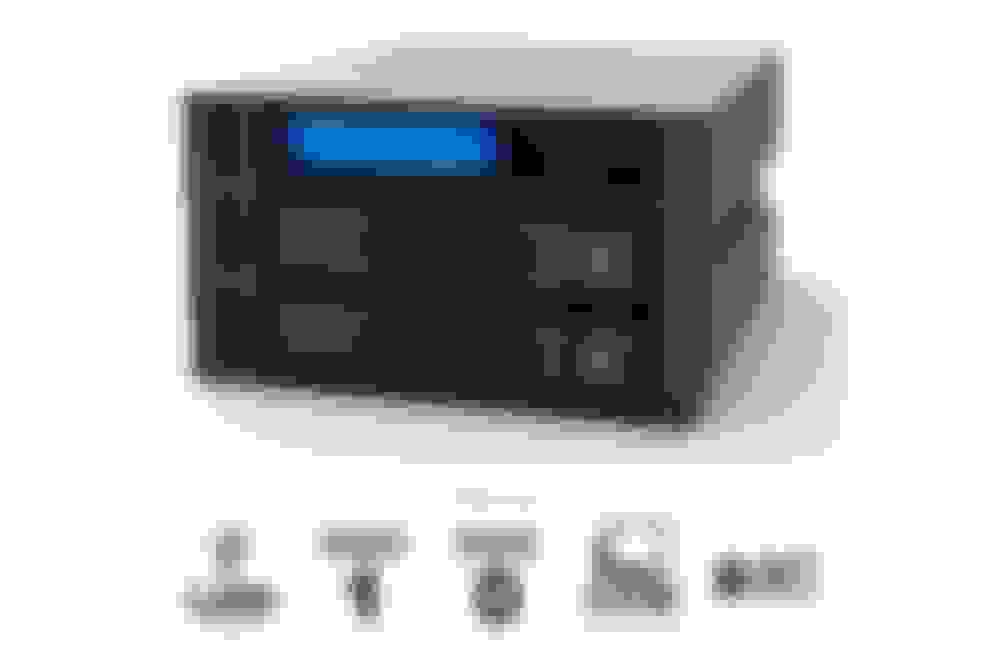
I need something similar to this hot swappable RAID 1 capable preferably internal with eSata. This is pretty much exactly what we want but we can't find this for sale in the US and I've never heard of this company before.
We want to use this for hot swapping our Veeam backups, taking drives offsite and putting them in fireproof safes and whatnot. Haven't seen anything similar unfortunately.









 https://www.docker.com/what-docker