When you click on links to various merchants on this site and make a purchase, this can result in this site earning a commission. Affiliate programs and affiliations include, but are not limited to, the eBay Partner Network.
Fun update, I figured I'd try it out tonight. Results? Terrible.
Things to note, we actually have a 60GB HDD2GO hard drive, I thought it was 40GB.
In attempting to clone the drive, when booting to CloneZilla and the Acura drive was plugged in to my USB IDE adapter it completely locked up two different computers. Couldn't even boot into BIOS with it plugged in. Figured maybe I could just toss the new one in (why not?) and see if it'd prompt to format it - NOPE.
Error Code 2 - Hard Drive not recognized/found call your dealer.
Ripped it all back apart and tossed the stock one back in. I may do some more digging/research; I think a hardware cloner may have better luck - where it doesn't care what data is on the drive at all, just does a 1:1 clone of the drive.
Had to enter my radio code but that wasn't any big deal.
I should clarify, I'm an IT consultant by trade so I've done plenty of drive clones, installs, troubleshooting, etc.
I didn't have access to a second USB/IDE device and I couldn't find a laptop with an IDE interface to see if it'd boot to on board disk. Those are next steps.
Did some testing after I put everything back together - 99.9% sure my USB/IDE adapter is the culprit. Used it in the past with luck but it's been in a drawer for awhile - I guess it may have just died out
I've got access to a few others with a buddy, we're going to rip stuff back apart this weekend and see what we can do.
What I'm really looking for is a diagram of the service manual on where the HD is located. I know the technology behind the OEM HD..
The HDD is located on the right side of the head unit. Held in with a couple of screws for a cover and pulls out toward the passenger door. I will search for a document I saved with instructions on accessing.
I would assume if one would clone the drive with Ghost, it should work. Ghost will make a mirror image on another drive and you can preserve the original partition size. You can also back up the partition to a file and re-construct this way.
I have not tried, but would like to have a backup if the original fails.
The HDD is located on the right side of the head unit. Held in with a couple of screws for a cover and pulls out toward the passenger door. I will search for a document I saved with instructions on accessing.
I would assume if one would clone the drive with Ghost, it should work. Ghost will make a mirror image on another drive and you can preserve the original partition size. You can also back up the partition to a file and re-construct this way.
I have not tried, but would like to have a backup if the original fails.
This is incorrect.
The drive for the TL is located directly behind the front faceplate of the system. Held in by two phillips head screws.
You need to remove the trim, vents, and headunit.
Once it's off, remove the AIRCON controls from either side and then remove the plastic face plate. Hard drive is accessible then.
I believe you're quoting the MDX or another Acura model which does show the access being on the side of the HU.
I think I need a new hard drive. Every few days my Nav screen will be black with a message that says (from what I recall) Application Error. Unable to initialize. I think that is what is says. Down in the right hand corner there is little number 6 displayed. I can't access anything that uses the screen such as audio settings. Luckily this car does display the a/c info and radio station on the radio screen. If I restart the car it will often come on correctly, but not every time.
I have a 2010 TL with Nav. About 50k miles. Is this diy for someone who is slightly handy, but by not close to being a mechanic? Is it the hard drive failing?
Did some testing after I put everything back together - 99.9% sure my USB/IDE adapter is the culprit. Used it in the past with luck but it's been in a drawer for awhile - I guess it may have just died out
I've got access to a few others with a buddy, we're going to rip stuff back apart this weekend and see what we can do.
Subscribing for results, I would love to upgrade to an SSD.
I just ordered a new USB/IDE adapter last night from Amazon which should be delivered on Friday. Current plan is to rip everything back out and at least attempt to clone the existing drive. I'll try to take some measurements (rough ones) for startup, searching, etc so we have a comparison.
I just ordered a new USB/IDE adapter last night from Amazon which should be delivered on Friday. Current plan is to rip everything back out and at least attempt to clone the existing drive. I'll try to take some measurements (rough ones) for startup, searching, etc so we have a comparison.
Do you think you could make a DIY on how to take everything apart if it does work? Hopefully they don't lock the hard drive to the hardware or anything like that.
Do you think you could make a DIY on how to take everything apart if it does work? Hopefully they don't lock the hard drive to the hardware or anything like that.
So, with the hard drive my buddy and I brainstormed. I'm not doing a Copy/Paste of the data. I'm going to be doing a straight one to one clone.
Even if the drive is encrypted to the radio serial number, VIN, or something like that the cloning process should retain that information and the new drive will be identical (from the car's standpoint).
I actually just used the guide from NavTool for installing their product and then guessed at the rest based on where I thought the drive was. Honestly, the hardest part was removing the top vents without causing damage - I scratched mine slightly
So, with the hard drive my buddy and I brainstormed. I'm not doing a Copy/Paste of the data. I'm going to be doing a straight one to one clone.
Even if the drive is encrypted to the radio serial number, VIN, or something like that the cloning process should retain that information and the new drive will be identical (from the car's standpoint).
I actually just used the guide from NavTool for installing their product and then guessed at the rest based on where I thought the drive was. Honestly, the hardest part was removing the top vents without causing damage - I scratched mine slightly
I understand cloning a drive, however kind of like an Xbox 1, the hard drive was actually locked to the motherboard. Even if you cloned an Xbox 1 hdd to another identical drive, the motherboard would not boot it without first locking it to the motherboard. Acura may have implemented this feature to prevent piracy of updated maps, I hope they didn't though.
I understand cloning a drive, however kind of like an Xbox 1, the hard drive was actually locked to the motherboard. Even if you cloned an Xbox 1 hdd to another identical drive, the motherboard would not boot it without first locking it to the motherboard. Acura may have implemented this feature to prevent piracy of updated maps, I hope they didn't though.
Haha, I used to mod original Xbox's! Completely forgot about that part of it.
The catch with that was it only needed to be locked if you wanted to go onto Xbox Live. If you ran the secondary firmware (Xecuter was my go-to) you could run it unlocked. So the process was to lock the drive, and flip the BIOS bank over to the stock stuff and then it'd boot to your Microsoft dashboard.
So you actually could build out a hard drive of whatever size and have it boot to your secondary dashboard.
I'd be surprised if Acura went that far, though it may be worth a phone call to my parts guys to see if the VIN is required for purchasing a replacement drive.
Haha, I used to mod original Xbox's! Completely forgot about that part of it.
The catch with that was it only needed to be locked if you wanted to go onto Xbox Live. If you ran the secondary firmware (Xecuter was my go-to) you could run it unlocked. So the process was to lock the drive, and flip the BIOS bank over to the stock stuff and then it'd boot to your Microsoft dashboard.
So you actually could build out a hard drive of whatever size and have it boot to your secondary dashboard.
I'd be surprised if Acura went that far, though it may be worth a phone call to my parts guys to see if the VIN is required for purchasing a replacement drive.
I've given up on the Transcend drive I purchased from Jet. PSD330 64GB and think I've got a defective unit. The drive is mounting up as 'Read-Only' with I/O errors in Windows 7, 10 and GParted and isn't even recognized in OSX.
This is with two separate USB to IDE adapters with/without external power and tweaking the jumper between Cable Select, Master, and Slave positions. The Transcend site actually has a "Device has read only I/O errors" as a reason for warranty/return which raises an eyebrow or two.
Because I purchased it on April 5th, I initiated a warranty exchange but figured I'd rather just return it to Jet (they pay for shipping) and I'll get a refund. I may try the project with the cheaper KingSpec drive (~$50) and see if I can at least get that to mount properly to a computer.
Nope, I haven't ordered a replacement drive yet for the one that was bad. I need that + find a weekend where I can play with the car ripped apart to knock everything out.
I'm thinking of replacing the hard drive in my best friend's 2013 TL with an SSD, and doing some dd if=/old/busted of=/new/hotness bs=1m magic to try and get everything transfered, but it would be great if you'd be the guinea pig and do it first!
Would be the one to get. It's not a terribly difficult process to open everything up, just takes some time to get everything in/out. Maybe I'll order the drive now and try to get it for the weekend.
Nope, hard drive is on my 'Wish List' for Amazon. Car was in an accident and was out of commission for ~3 weeks getting fixed. I'm still putting together pieces and parts that were missing/damaged - currently missing one foglight screw so I'm waiting for that to be delivered before I jump on anything else.
I did get my RV6 PCD's wrapped with DEI Titanium wrap but am waiting on a stainless zip tie tool so I can finish them up. Also waiting to see if we're going to get a RV6 Black Friday sale any pick up a J-Pipe.
These drives are definitely locked.
I had a Pioneer aftermarket radio that was very similar to this.
IIRC you need an online service to unlock the drive before doing anything with the drive.
Once unlocked, you copy all partitions to the new drive and it works without relocking the drive. If you want to add drive space (repartition), all previously recordings are lost because of how the system stores music.
The best solution, for the Pioneer case, was to download an image of the drive that someone had already unlocked and backed up and clone that to your new drive...
...and that system was very very specific with the drive models; you need specific Toshiba drive models (ie automotive drives)... some non-automotive worked too.
SSD drive didn't work at all at that time.
These drives are definitely locked.
I had a Pioneer aftermarket radio that was very similar to this.
IIRC you need an online service to unlock the drive before doing anything with the drive.
Once unlocked, you copy all partitions to the new drive and it works without relocking the drive. If you want to add drive space (repartition), all previously recordings are lost because of how the system stores music.
The best solution, for the Pioneer case, was to download an image of the drive that someone had already unlocked and backed up and clone that to your new drive...
...and that system was very very specific with the drive models; you need specific Toshiba drive models (ie automotive drives)... some non-automotive worked too.
SSD drive didn't work at all at that time.
I'm not entirely sure they are - the drives themselves could even be encrypted; if you do a 1:1 clone (which was my intention) whether it's encrypted or not wouldn't matter. The data is still the same - just would need to ensure the formatting, spacing/sizing, etc is identical.
If the drive had a password (haven't seen this in ages though) then it would be more difficult to get into. Since I wasn't able to get any drive reading correctly on my adapters I figured it was an issue on my end and not the drive itself.
I'm not entirely sure they are - the drives themselves could even be encrypted; if you do a 1:1 clone (which was my intention) whether it's encrypted or not wouldn't matter. The data is still the same - just would need to ensure the formatting, spacing/sizing, etc is identical.
If the drive had a password (haven't seen this in ages though) then it would be more difficult to get into. Since I wasn't able to get any drive reading correctly on my adapters I figured it was an issue on my end and not the drive itself.
I'm 100% sure they are not encrypted!
1st Encryption requires some CPU to decrypt... this would be stupid and slow down the navi unit like crazy just to decrypt on the fly when you can just password protect the drive which is a feature on pretty much every drive (ATA spec).
2nd Password protecting a hard drive is not a new thing. Although not the most secure, manufacturers of different devices such as Xbox, laptops and navigation unit have been using hard drive password to lock the content.
3rd You couldn't get to read the drive because these are IDE drives and afaik IDE-to-USB adapter did not work with ATA locked drive (either for unlocking or locking). I had to buy a 2.5" IDE to 3.5" IDE adapter (pretty hard to find) and connect to an old computer with IDE ports.
4th If it was simply encrypted you should at least be able to see the disk, volumes and partitions... also the type of file system and their files (although the content would just be garbled)
btw SSD won't give you much performance on these Navi units (if they even work)... the drive's limit is its interface, ATA/66 reads at 66MB/s max unless they are up to ATA/100 (100MB/s) now... but even then, that's still slow.
I mean, there's lots of different methods to lock a certain drive to an enclosure, which is basically what the car's headunit is acting as. I can probably guess that the headunit has a physical circuit that blocks anything BUT the OEM drive to be mounted.
This is done by WesternDigital on all of their large USB enclosures. The enclosure is bound to the HDD it came with by hardware ID, nothing software based. If the Hardware ID (not cloneable unless you have something inbetween the HDD and the enclosure) you won't be able to use any other drive. Of course the workaround is to remove this function by desoldering 2 leads on the protection circuit.
Based on the info you've provided. However I doubt that's the case, it probably just needs to be formatted the proper way or have the correct info/partitioning already on there.
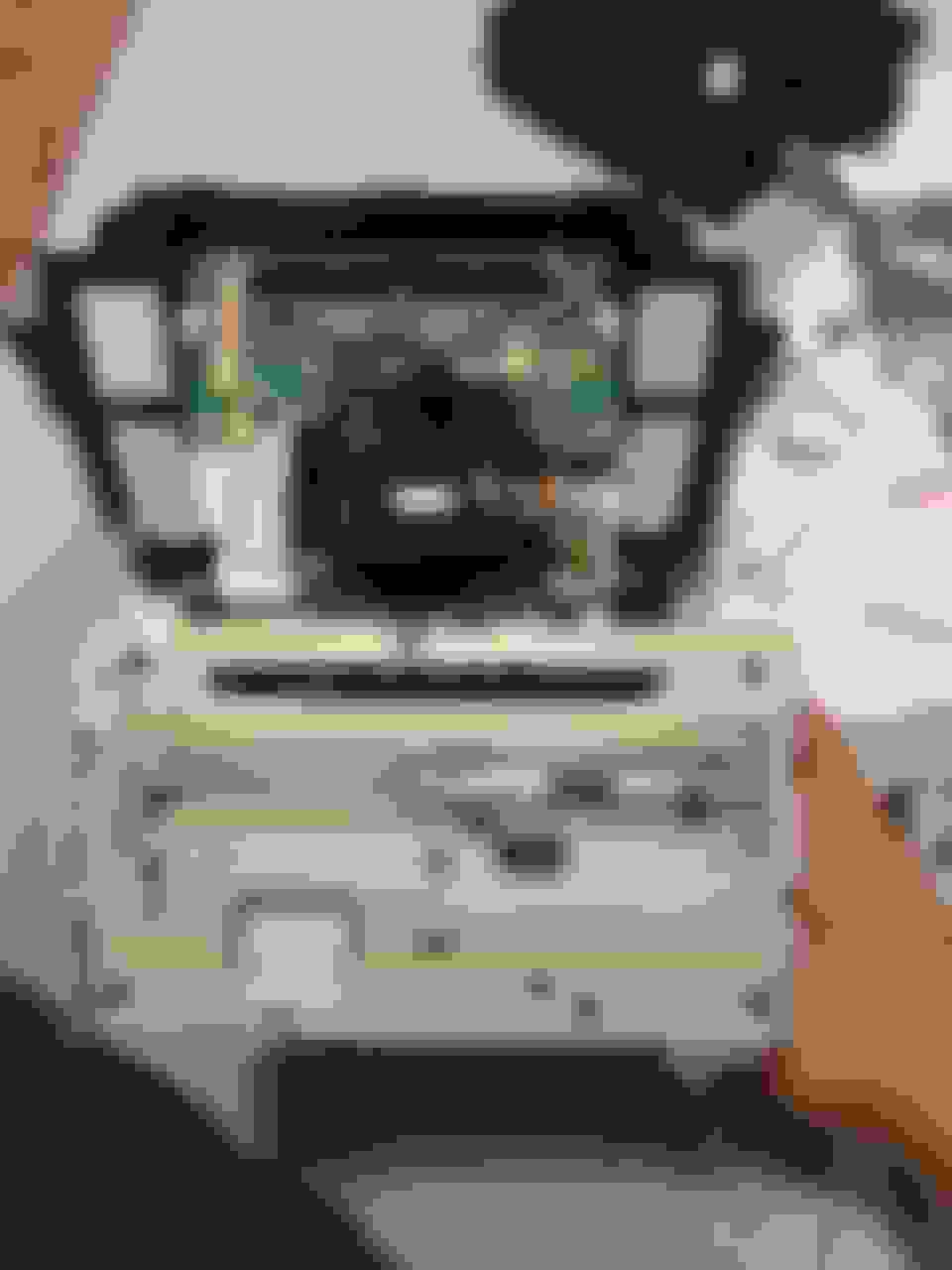
Hey all, I have a 2009 TL with HDD issues and I went on ebay and bought a used HDD for a direct swap. Took me about an hour to get in, the first time was difficult as I was removing unnecessary screws and doing things wrong. Best is to remove 4 screws holding the front unit together and removing the face plate to access the hard drive bay.
I found a great tutorial on how to remove the console
.
Looks like the HDD I got from eBay is corrupted or it something else.
I'll contact the Dealer and see what they can do without charging me an arm and a leg.
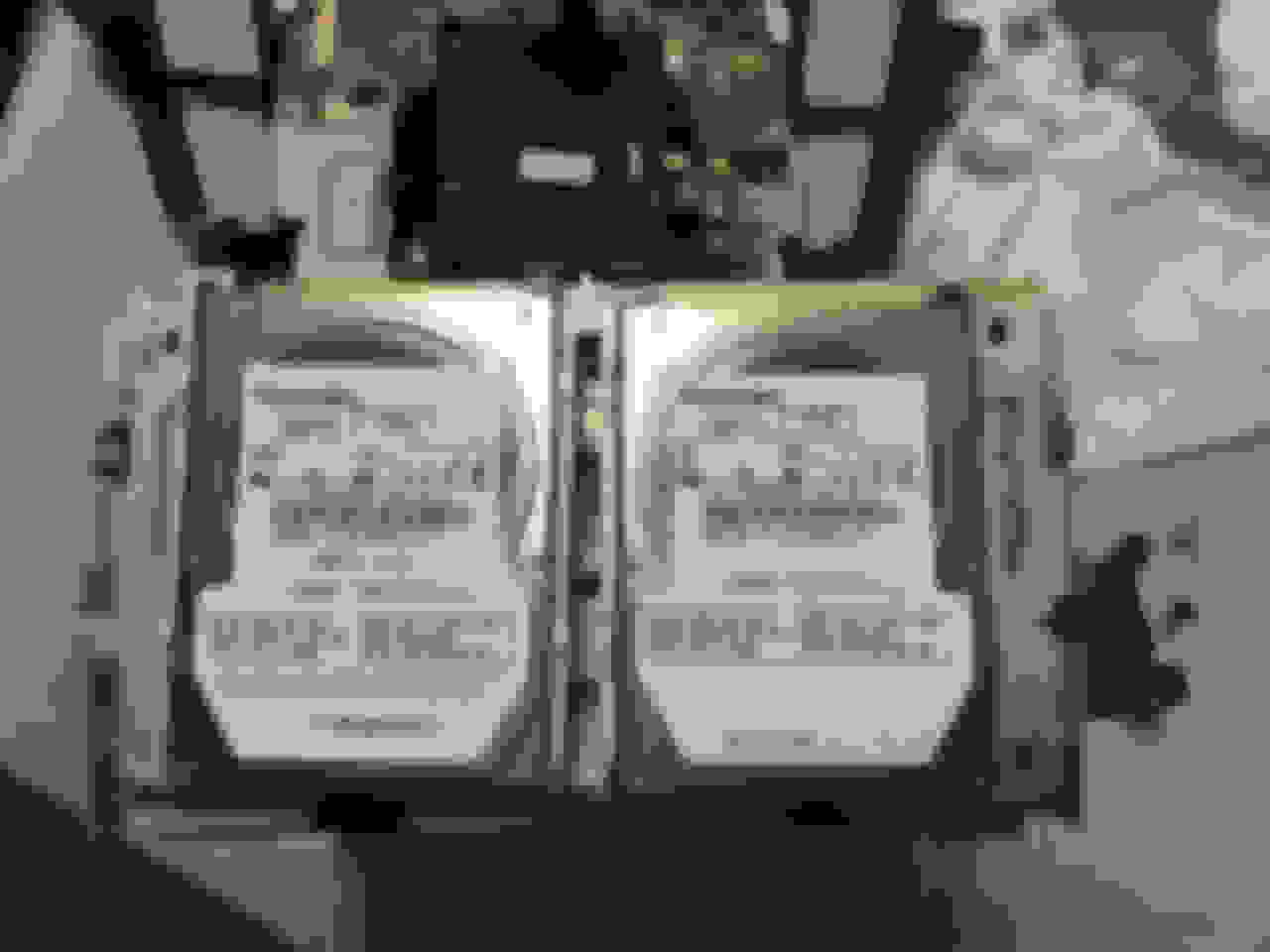
Here are some pictures for comparison. I have the 40GB, ebay purchase is a 60GB for a TL as well.
According to the 2012 repair manual (page1196) - the new HDD can only be added by replacing the AudioNav unit at the same time. The AudioNav can only be written(mated)once to a new HDD.
Contrary to previous generations of navigation units, the audio-navigation unit and the HDD cannot be
substituted separately. You can substitute a combined audio-navigation unit and HDD with a known-good
combined audio-navigation unit and HDD. When the audio-navigation unit and HDD are connected to a
vehicle, and powered up for the first time, the audio-navigation unit and HDD go through a mating process
where the HDD writes the audio-navigation unit's serial number to its memory. The audio-navigation unit and
HDD are available separately.
According to the 2012 repair manual (page1196) - the new HDD can only be added by replacing the AudioNav unit at the same time. The AudioNav can only be written(mated)once to a new HDD.
Contrary to previous generations of navigation units, the audio-navigation unit and the HDD cannot be
substituted separately. You can substitute a combined audio-navigation unit and HDD with a known-good
combined audio-navigation unit and HDD. When the audio-navigation unit and HDD are connected to a
vehicle, and powered up for the first time, the audio-navigation unit and HDD go through a mating process
where the HDD writes the audio-navigation unit's serial number to its memory. The audio-navigation unit and
HDD are available separately.
A couple years back I wrote a question about my screen intermittently going black "application error, unable to start system". I never got replies, but my assumption was a bad HDD. I thought I could just replace the HDD, but if I understand you correctly, that's not really an option, not even with one from a salvage yard. My back up camera won't display when this error comes up...just black screen with white lettering. Thinking to buy the whole am/fm/dvd/hdd from salvage yard. That should be able to connect to my current screen (which does work when there is no error)? Correct? And somehow I have to get the codes necessary due to the anti-theft software? 2010 TL Tech
But if I buy from a salvage yard it will be the whole unit...radio with nav and I'll just be connecting it to my screen. That should work shouldn't it? One complete unit from a wrecked Acura TL? I wonder if the unit would know it was in a different car? If I understand correctly, you are saying I can't buy just the HDD and put it in my car. Right? I did find a video for a Nav-Video interface so you can watch netflix on your screen, and it shows how to remove the radio portion (not the big screen) It doesn't look too difficult...
All I am doing is noting what is said in the manual, Soon as I finished with my other TL project I am going to pull the HDD and look at the HDD info on the drive. Manual is here https://acurazine.com/forums/fourth-...manual-956811/
All I am doing is noting what is said in the manual, Soon as I finished with my other TL project I am going to pull the HDD and look at the HDD info on the drive. Manual is here https://acurazine.com/forums/fourth-...manual-956811/
Whats funny is that the manual states that you can move on HDD to the other unit and it'll have the songs and info transfer over. I'm wondering if there are different versions of the Head unit that correspond to certain hard drives. IE Non-navi vs nav.




 My hard drive is dying???