When you click on links to various merchants on this site and make a purchase, this can result in this site earning a commission. Affiliate programs and affiliations include, but are not limited to, the eBay Partner Network.
Hello,
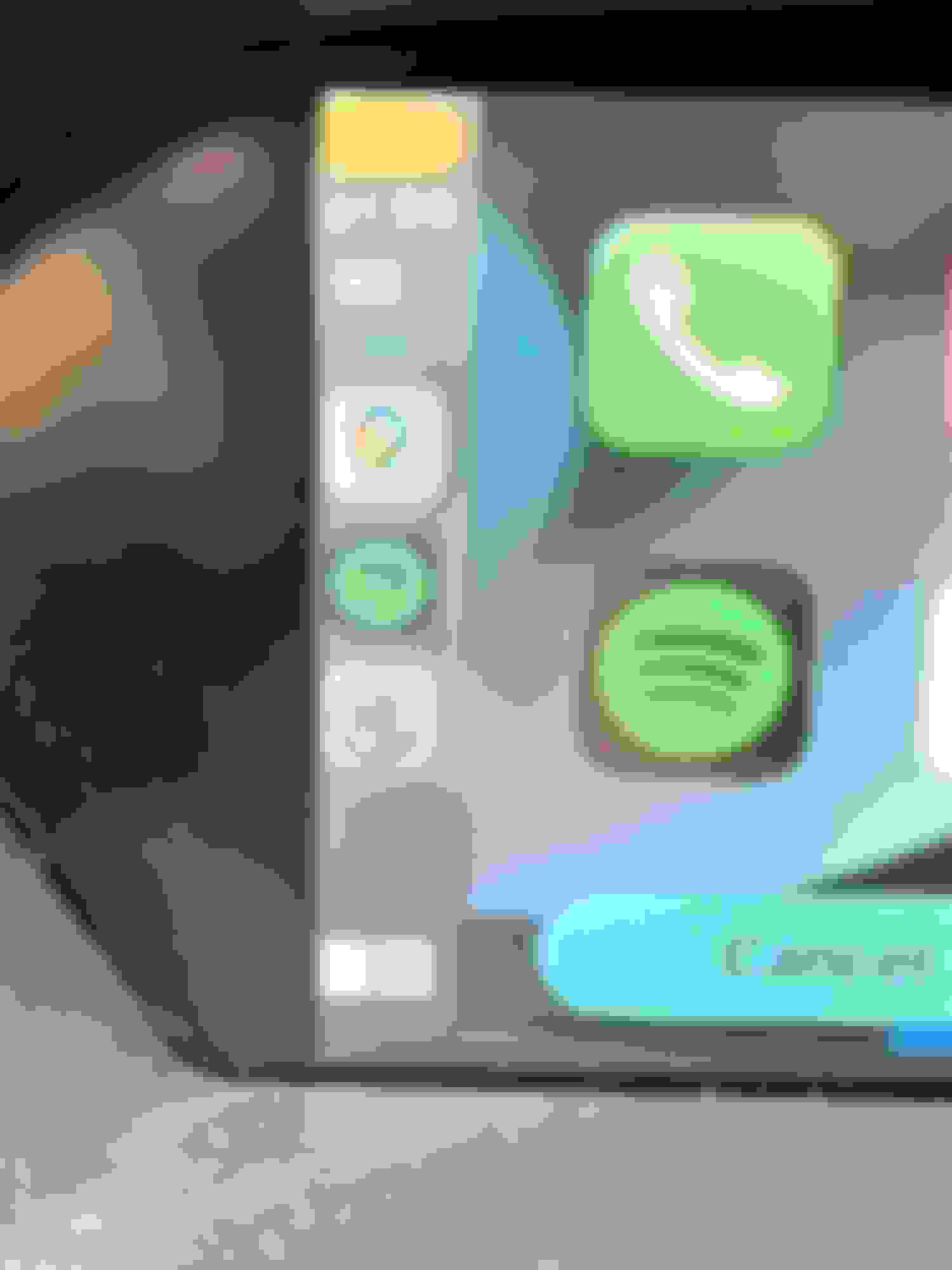
Despite the mixed reviews of the product and company, I took a chance and ordered Navtool with wireless Apple Carplay (2009 MDX). Install and set up were actually great, and the product works flawlessly with 1 minor issue. The video looks offset to the left by about 10 pixels. Just curious if anyone with Navtool have this issue? I haven't seen this through all the pages I've read. You will notice on the left, 1 bar of signal cut off, and the full icons not showing. On the right side, some space where the pixels arent lit up. This space is used on the stock interface.
When contacting Navtool, they were (surprise) not as helpful. ME: Is there a way to edit screen position output from the unit? It's pushing the video out too much to the left and leaving a gap in the right Navtool: I will check from support typically the video is sent in a digital format and then screen decides how to show it ME: Please check and let me know. Doesn't seem right as the navtool unit is taking over the navi and outputting the displays. The few members I've talked to on the forums don't seem to have that issue. I'll try canvassing more members on mdxers and acurazine Navtool: Is Sebastian previously issued cars not from the NavTool but from the way the screen opens up the video because the image is sent in a digital format oh then screen decides how to show the picture ME: I'm not understanding of your "is Sebastian previously issued cars" Me: The navtool is the one outputting the signal and saying this image show be displayed in this position. The stock navi fills up the full screen properly. The navtool is far to the left as you can see part of the icons cut off Navtool – silence ……
Last edited by AVongsana; Mar 22, 2022 at 10:57 PM.
Reason: image size