When you click on links to various merchants on this site and make a purchase, this can result in this site earning a commission. Affiliate programs and affiliations include, but are not limited to, the eBay Partner Network.
Sorry this might be a repost, but search function is throwing up errors.
I wonder if there is a way to replace the stock music hard drive? Not sure if it is just a regular SATA or SSD SATA. Kind of surprised Acura didn't put a bigger HD in.
Well, I'm sure if nobody figured this out yet, they will in the near future
Sorry this might be a repost, but search function is throwing up errors.
I wonder if there is a way to replace the stock music hard drive? Not sure if it is just a regular SATA or SSD SATA. Kind of surprised Acura didn't put a bigger HD in.
Well, I'm sure if nobody figured this out yet, they will in the near future
I used to think that, but I have dozens of CDs ripped and only used 2GB of the 12.4GB free space.
my guess is it's either a solid state or a very rugged drive. I when the part #'s come out on some sites, It should be easier to figure out what's up and the replacement procedures. Hopefully we can put in a 64 gb solid state in there
Considering that cd's get ripped to the hard drive @ 128kbps why would you want or need a bigger hard drive? I'd rather use a usb flash drive or dedicated ipod with higher bitrate mp3s. Most of my collection is at least 256kbps.
I'm curious about removing the HD and imaging the navigation partition in an effort to see how it's constructed. Not only would this potential allow for an "OK" bypass - but the possible alteration of the ripping algorithm used to store media on the HDD.
I'm curious about removing the HD and imaging the navigation partition in an effort to see how it's constructed. Not only would this potential allow for an "OK" bypass - but the possible alteration of the ripping algorithm used to store media on the HDD.
If the 4G TL is using one of the Toshiba HDs listed in this thread it's probably PATA (not SATA), meaning it's slow, old technology, and not worth screwing around with. You can buy new 64GB SSDs from newegg.com right now for under $100... but you won't be able to replace the dinosaur tech holding your nav togather without major upgrade hassles.
Solution? 1. Cheap laptop. 2. Cheap SSD as the boot drive. 3. Your favorite PC nav program. (I use Microsoft "Streets and Trips 2009" but never tried to attach to my TomTom or Garmin. DeLorme makes supposedly integrated products with GPS receivers, too.)
OR you could just buy a standalone Black Friday special plug-in GPS and wait until Acura comes back around to the notion of open standards. This business of paying 20X as much for a car-exclusive nav system is seriously WACK (imho). They should be giving away the nav updates to get you to bring your car into the dealer for routine maintenance (like an oil change).
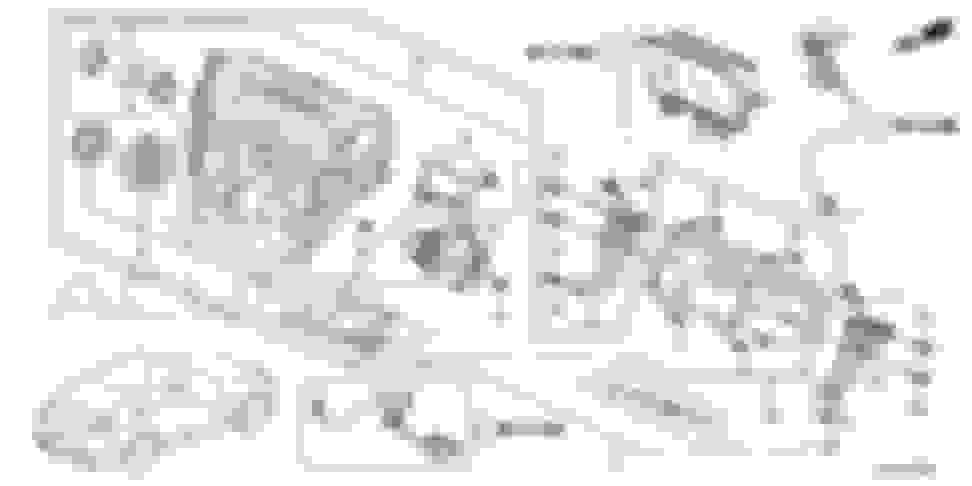
What I'm really looking for is a diagram of the service manual on where the HD is located. I know the technology behind the OEM HD.
Given that, I think it would be valuable to find out if the HD can be imaged. Imagine if your HD goes bad one day. Going to cost a pretty penny if your not under warranty.
If there is a way to extract the OEM HD and re-image it to another HD keeping the integrity of the system in check then we open up the possibility of MODING the software. IE: getting rid of the OK button, possible higher bit-rate ripping - SSD replacement instead of a HD with moving platters.
sooo that being said anyone have access to the service manual? Can we get scans or dash removal instructions? From the parts lists online it looks as if they group the HD in with the entire radio sub-assembly.
I own the service manual and the HDD details and audio/navi unit removal procedures are detailed in Volume 2, Pages 23-287 to 23-289. I can try to scan and post when I get access to a scanner, but there is actually a whole subsection devoted just to "HDD Removal/Installation". Its actually a very easily serviced part since it just slides in/out of the audio/navi unit much like a rail-based HDD in a PC. I guess they did this to make it easy to transfer the HDD to a new audio/navi unit should the audio/navi unit fail and need to be replaced and allow easy retention of data by keeping the same HDD.
To remove the audio/navi unit, you remove the center trim and dashboard center vent and then remove the whole center audio/navi switch panel out (this is the panel that includes everything from the rotary knob to the CD/DVD slot at the top. The audio/navi unit is attached to this panel in the back (basically looks like a big double DIN receiver).
In the past, I have obtained excellent instruction documents from Crutchfield.com. They show, with photos, step-by-step how to remove dash assemblies, door panels, et. al.
I contacted them this morning and unfortunately they do not have similar PDFs for the new Acuras.
Sorry if I am in the wrong place- I have an '11 MDX, but I think the systems are similar. If I can obtain instructions and or figure out how to disassemble, I would certainly post a photo-essay to help others.
Perhaps replacing this drive with a newer/faster type would speed up the slow arse interface when scrolling as well. Anyone confirm that the HDD is PATA/SATA? I've got plenty of tools at my disposal to clone the drive to something else
Thanks lji! Next question: Will you please provide the pdf for all the activities to get to the point of replacing the HDD? i.e. how to remove the faceplate, etc. Thanks much!
Subscribed! Has anyone tried this yet? I wonder what format the drive is... Kind of afraid to pull it out and plug it into a computer. The drive should be standard SATA but I don't know if the firmware on it can read past 12gb.
I guarantee they used a cheap 5200 rpm 40GB HDD, I would be very surprised to see a PATA drive in it as it is way out of date.
In terms of replacing it, what would the overall goal be? Somewhere in the software is a 12gb blocker that limits you from saving any more than that amount, no matter the size. The only benefit I could see here would be switching to something with better data transfer rate. Or maybe I'm missing something
The speed bottle neck is at the USB interface, not at the hard drive.
It's not USB though. It's SATA which should be capable of running 7200rpm or even a SSD drive would improve start up time and navigation capabilities. I'll probably give it a go.
It's not USB though. It's SATA which should be capable of running 7200rpm or even a SSD drive would improve start up time and navigation capabilities. I'll probably give it a go.
Think what he meant to say was the fact the USB interface that you plug an iPod / Thumbdrive in is the major downer in the fact that it is a USB 1.x spec interface. (at least up to 2009-2011 models and I believe the 2012-2013s upgraded to 2.0spec)
1.1 USB interface which is dog slow with specified data rates of 1.5 Mbit/s (Low-Bandwidth) and 12 Mbit/s (Full-Bandwidth.
2.0 USB added higher maximum signaling rate of 480 Mbit/s (effective throughput up to 35 MB/s or 280 Mbit/s). A major improvement.
Now as far as the actual Physical Hard Drive interface there was a post in here that had the PDF instructions from the repair manual on how to properly remove (forgive me if I dont have it off top of my head). and I want to say it was at least a SATA interface and not the older IDE.
I just haven't been motivated enough to rip the drive out, and try to clone it to a larger/faster drive with available tools at my disposal because considering the fact that Acura limited it via shitty proprietary standards as is, it most likely will not increase the size of the actual storage space because the partition size for where things are stored are hard coded/specified.
Thus the only real benefit you "might" see is a slight increase in response due to changing from say a SATA 4200/5400 to a 7200 drive (albeit increase in noise and heat) for a marginal if at all noticeable increase. Now going to an SSD would be the better choice overall, but my ultimate guess is the actual interface in the radio itself that talks to the drive is the lowest speed/lowest grade shitty one Acura could cram into it, thinking it was cost effective.
In the end as much as it pains me to say not really worth it in the long run in effort to achieve success (and thats IF the cloning software worked along with the Radio accepting the newer drive, if the designers wanted to be real pricks they could specifically lock said firmware to said installed drive and puts you at a real disadvantage without serious reverse engineering/having the original software at your disposal).
It's not USB though. It's SATA which should be capable of running 7200rpm or even a SSD drive would improve start up time and navigation capabilities. I'll probably give it a go.
This is correct, I am not sure about 2.5" drives but I know of many 3.5" that go 10K + rpm's ( server HDDs ). I'd say your best bet would be to go for a SSD drive of similar size to the existing unit. I think one of the issues we are seeing is that these systems can be very, very slooowwww. I'm starting to wonder if it's a bad board design, slow processor, or lack of ram.
Originally Posted by IrishTR
Think what he meant to say was the fact the USB interface that you plug an iPod / Thumbdrive in is the major downer in the fact that it is a USB 1.x spec interface. (at least up to 2009-2011 models and I believe the 2012-2013s upgraded to 2.0spec)
1.1 USB interface which is dog slow with specified data rates of 1.5 Mbit/s (Low-Bandwidth) and 12 Mbit/s (Full-Bandwidth.
2.0 USB added higher maximum signaling rate of 480 Mbit/s (effective throughput up to 35 MB/s or 280 Mbit/s). A major improvement.
Now as far as the actual Physical Hard Drive interface there was a post in here that had the PDF instructions from the repair manual on how to properly remove (forgive me if I dont have it off top of my head). and I want to say it was at least a SATA interface and not the older IDE.
I just haven't been motivated enough to rip the drive out, and try to clone it to a larger/faster drive with available tools at my disposal because considering the fact that Acura limited it via shitty proprietary standards as is, it most likely will not increase the size of the actual storage space because the partition size for where things are stored are hard coded/specified.
Thus the only real benefit you "might" see is a slight increase in response due to changing from say a SATA 4200/5400 to a 7200 drive (albeit increase in noise and heat) for a marginal if at all noticeable increase. Now going to an SSD would be the better choice overall, but my ultimate guess is the actual interface in the radio itself that talks to the drive is the lowest speed/lowest grade shitty one Acura could cram into it, thinking it was cost effective.
In the end as much as it pains me to say not really worth it in the long run in effort to achieve success (and thats IF the cloning software worked along with the Radio accepting the newer drive, if the designers wanted to be real pricks they could specifically lock said firmware to said installed drive and puts you at a real disadvantage without serious reverse engineering/having the original software at your disposal).
This... I'm willing to bet you are 100% spot on, these aren't made like traditional computers, if something can be done to save 25 cent, there going to do it. Pains me, but it's true.
For some reason or another, I started looking into this just today. Here's what I've found:
This thread on MDXers has pictures of what someone found for a Acura TL hard drive - this is a HDD2GO1 model Toshiba drive that's 40GB in size. This coincides with all the threads I've found on AZ.
I am interested in this topic and did some research prior to finding this site. I just bought a 2016 MDX Elite and find the ELS audio "decisions" that Acura has made pretty disappointing compared to what I am used to in my Vigor and NSX (Phatbox 300Gb units with 16bit/44Kz FLAC). So here is what I have found so far: The above research on the OEM drive is correct (40Gb) - no idea if PATA or SATA, and it is shipped partitioned into either 5 or 8 (cannot find the doc just now) - one of which is the boot. There is a Service Menu for the head unit. You can enter this menu via correct push buttons. You can then EXPORT or IMPORT the "user data" (for repair reasons) - thru the USB jack. You can also use a DVD or USB source to change the VERSION of the software running on the head unit.
So.....as some one else pointed out - the first road block likely to be encountered if you just CLONE the existing drive to a 300 or 500Gb unit is: Making the Music partition bigger (pretty easy - use Acronis). Then you have to hack the 15Gb limit the on-board SW has placed on the upper size of the music. Then you have to hack the 99 CD's (folders) limit also built into the OEM software......and I believe there is also a FILES limit in for each folder....hard to hack unless you have access to the code in the head unit - and skills I do not have. Then you have to find a FLAC codec the OS will run if you want to use FLAC files......or just stick with WAV files since it seems to play them from the CD transport. Now we get to the deal breaker I suspect - the Database that allows voice search.....I suspect that just loading 30,000 WAV tracks onto the bigger disk will not auto-load the tags for these songs into the voice recognition database.....and that is the whole point of this exercise (that and getting hi-rez files to listen to). I am going to try EXPORTING the existing CD loaded files to a USB and see what the export files look like. Probably encrypted or hashed to provide security for user phone data etc. If anyone else wants to jump in here - please do. It took a dedicated hacker group about 5 years to turn Phatbox products into open-access - and it was a great day. Hopefully we can figure out how to at least shovel load a large load of legal WAV files to the HD in one USB upload.
BTW - nice handling on the MDX.....love the audio enhanced engine growl as you go up thru the gears on Sport Mode.
So, random update, I bit the bullet and purchased a Transcend 64GB PSD330 SSD drive which (in theory) should be able to be cloned (via CloneZilla) from the factory drive. I should have the SSD in a week and then will start experimenting.
What prompted the purchase was the navigation installation I'm going through now - 2 hours for the "full power" update is ridiculous.
Someone mentioned the HDD2GO1 drive has high tolerances for heat, vibration, etc. however looking at the technical sheet for the SSD it appears to be equal (for tolerances) however I expect greater performance in reads - like navigation searching and such.
I don't know if there's lots of interest, but I'll be attempting this swap this weekend. The Transcend 64GB SSD was delivered today. I think I've got two USB to IDE adapters laying around somewhere so I'll be using those - worse case is I know I have at least one so I can capture the device image to my computer and then lay it back onto the drive.